
Most businesses assume Google ranking equals ChatGPT visibility. It does not. ChatGPT Search relies heavily on Microsoft Bing's index for real-time web retrieval — not Google's. A website not indexed in Bing cannot appear in ChatGPT Search responses regardless of its Google ranking. This is an eligibility problem, not a ranking problem. ChatGPT Search is powered by Bing: Bing provides the retrieval infrastructure, OpenAI provides the synthesis layer. This article covers the complete technical setup for ChatGPT Search eligibility: Bing Webmaster Tools verification, sitemap submission, IndexNow via Cloudflare Crawler Hints, OAI-SearchBot access in robots.txt, and priority URL submission — all demonstrated on aeogeoai.net with real screenshots.
The assumption most businesses are making — and why it's wrong
Most businesses assume Google ranking equals ChatGPT visibility. Optimise for Google, appear in ChatGPT. It seems logical. It is wrong.
ChatGPT Search relies heavily on Microsoft's Bing index when sourcing real-time web results. The two indices are entirely separate. A website that ranks on page one of Google and has never been submitted to Bing is, from ChatGPT's perspective, a website that does not exist.
This is not a ranking problem. It is an eligibility problem. You cannot rank in a system that cannot see you.
Ten minutes in Bing Webmaster Tools may be more valuable for ChatGPT visibility than ten hours of content writing — if your site has never been submitted to Bing.
Why Bing matters for ChatGPT visibility
ChatGPT Search relies heavily on Microsoft's Bing index and Bing-powered retrieval systems when sourcing real-time web results. When a user asks ChatGPT a question with web search enabled, ChatGPT issues queries to Bing, retrieves candidate pages, fetches their content, and synthesises an answer with inline citations. A website not indexed in Bing cannot appear in those answers regardless of how well it ranks on Google.
Bing also powers Microsoft Copilot across Windows, Office 365, and the Bing interface. Over 60% of Fortune 500 companies are piloting or deploying Copilot in daily workflows. The same Bing index that determines ChatGPT Search visibility also determines Copilot visibility. Optimising for Bing in 2026 is not a secondary strategy — it is your AI search strategy.
A website can rank on page one of Google and be completely absent from ChatGPT Search if it is not indexed in Bing. The two indices are entirely separate.
Why ChatGPT cites one page and ignores another
When someone searches "how to rank in ChatGPT" they rarely mean ranking in the traditional sense. What they mean is: why does ChatGPT choose my competitor's page and not mine? The answer involves six factors:
What determines which page ChatGPT cites
The complete setup: 8 steps to ChatGPT Search visibility
All steps below were completed for aeogeoai.net on 21 June 2026. Screenshots are from live sessions.
Verify your site in Bing Webmaster Tools
Go to webmaster.bing.com and sign in with a Microsoft account. Add your domain and choose a verification method. The fastest method for sites already verified in Google Search Console is the GSC import — it completes in one click. Alternatively use DNS verification by adding a CNAME record in Cloudflare DNS.
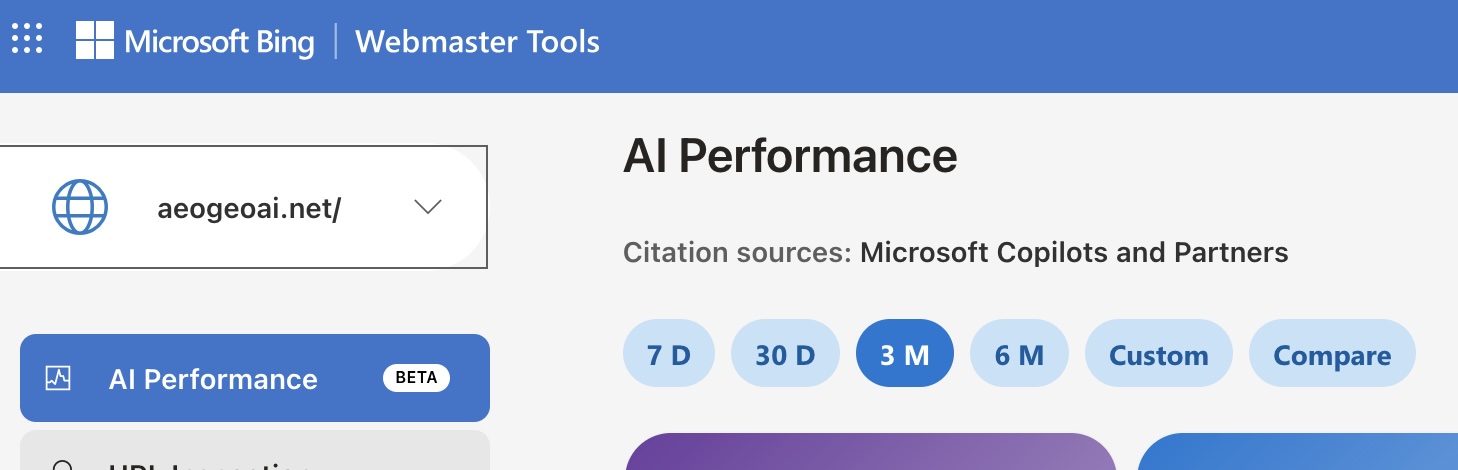
Once verified, Bing Webmaster Tools provides crawl data, index coverage, query performance, and the AI Performance dashboard — a dedicated section tracking how often your pages are cited by Microsoft Copilots and Partners including ChatGPT.
Submit your sitemap to Bing
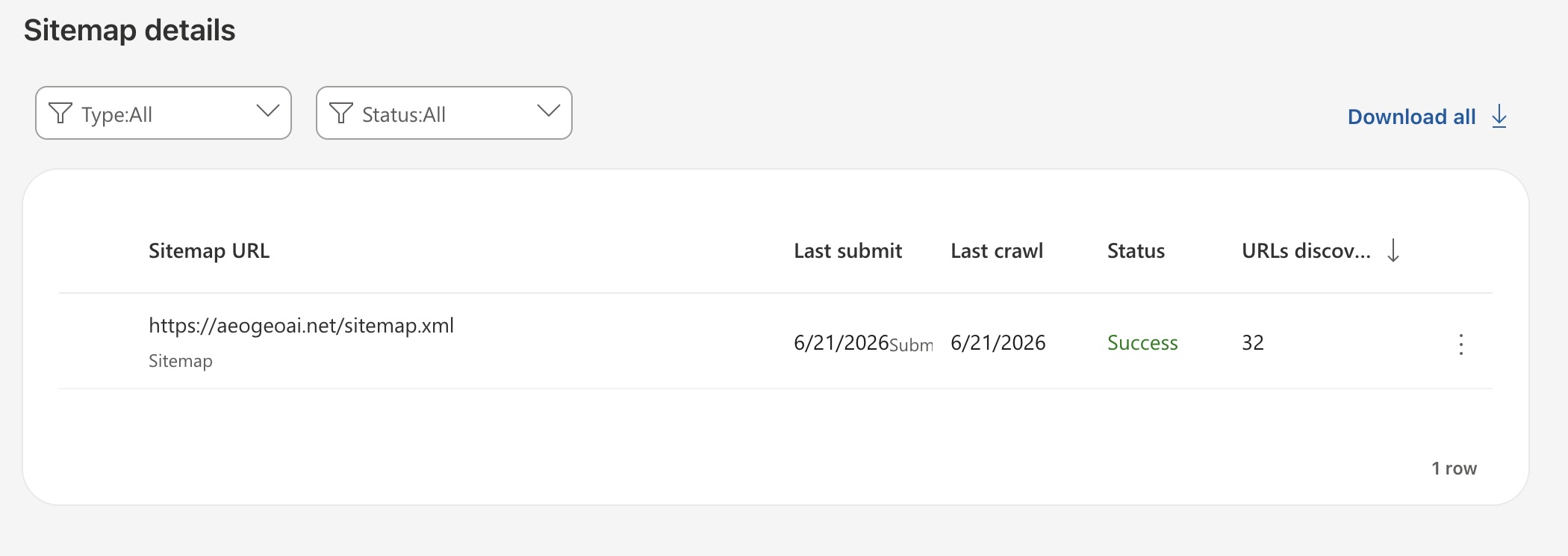
In Bing Webmaster Tools go to Sitemaps → Submit sitemap and paste your sitemap URL. For most sites this is yourdomain.com/sitemap.xml. Submit immediately after verification — Bing will crawl it and discover all pages.
Resubmit your sitemap whenever you publish new pages. Bing processes sitemap submissions faster than waiting for its crawler to discover new content independently.
Enable IndexNow via Cloudflare Crawler Hints
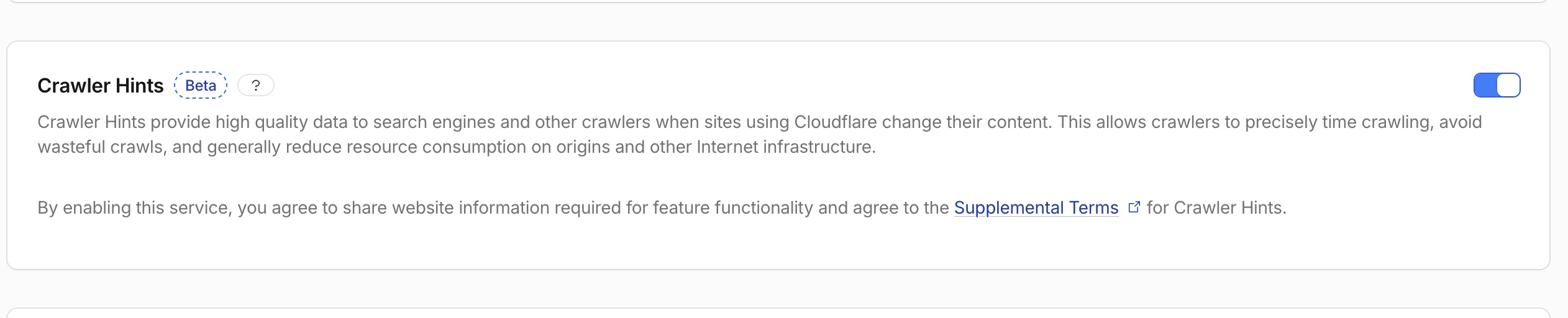
IndexNow is a protocol that notifies Bing instantly when content is published, updated, or removed — rather than waiting for Bing's crawler to discover changes on its own schedule. Once Bing receives an IndexNow notification, ChatGPT Search can retrieve updated content in its next crawl cycle.
For sites on Cloudflare, enabling IndexNow takes 30 seconds. Go to Cloudflare dashboard → your domain → Caching → Configuration → scroll to Crawler Hints → toggle on. No code required. Cloudflare automatically pings Bing whenever your cached content changes.
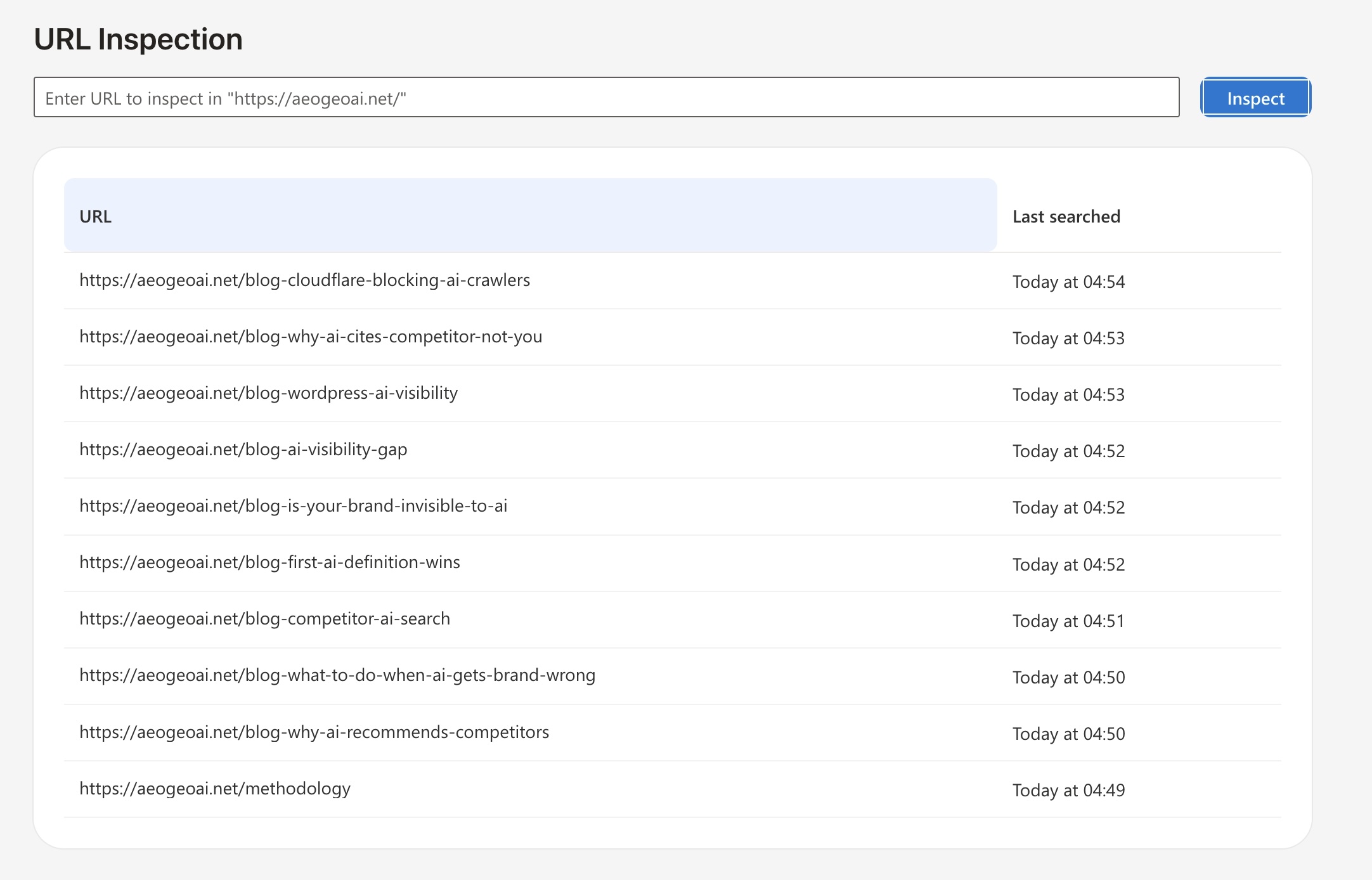
Submit priority URLs manually
Bing Webmaster Tools provides a URL Inspection tool that pushes specific pages into Bing's index immediately. Use it for your highest-priority pages: service pages, revenue pages, and blog posts most likely to be cited when users ask ChatGPT questions in your topic area.
Submit revenue pages and service pages first, then high-value blog posts that answer specific questions your audience asks. Skip admin pages, thank-you pages, and history pages — these do not benefit from ChatGPT citation.
Allow OAI-SearchBot in robots.txt
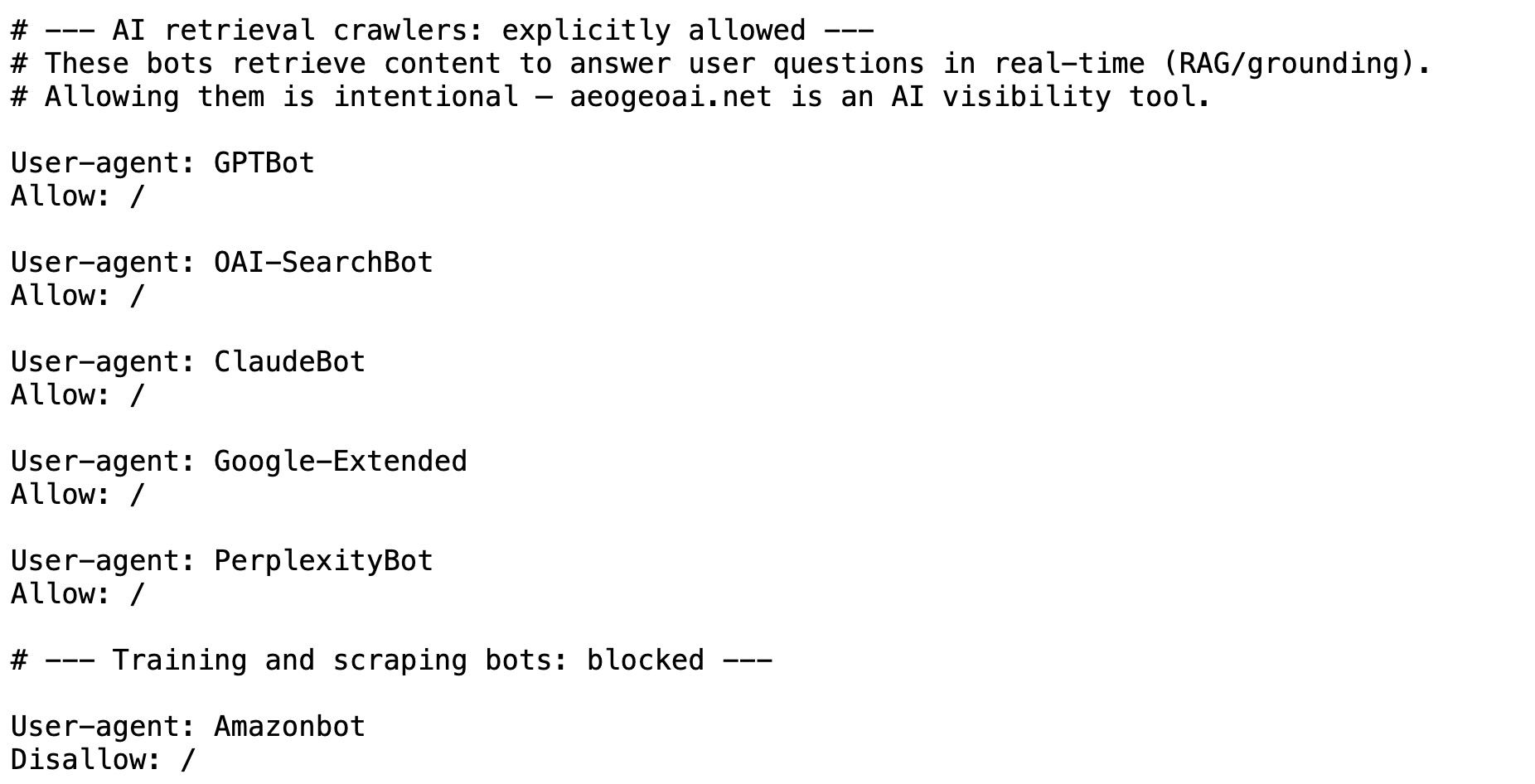
ChatGPT uses two crawlers with different purposes. GPTBot collects content for model training. OAI-SearchBot retrieves content to answer user questions in real time — this is the crawler that determines ChatGPT Search visibility. Both should be explicitly allowed.
Many sites accidentally block AI crawlers while allowing Googlebot — either through robots.txt rules or through Cloudflare's "Block AI Bots" security setting. Check both. A site can rank in Bing and still be invisible to ChatGPT Search if OAI-SearchBot is blocked at the CDN level.
The correct robots.txt configuration to allow ChatGPT's retrieval crawlers:
Check Cloudflare Block AI Bots is disabled
Cloudflare introduced a "Block AI Bots" security setting that blocks AI crawlers at the CDN level — before robots.txt is even read. If this setting is enabled, OAI-SearchBot cannot reach your pages regardless of what your robots.txt says.
Check: Cloudflare dashboard → Security → Bots → Block AI Scrapers and Crawlers. Ensure this is toggled off for any site you want indexed by ChatGPT Search. This is one of the most common invisible causes of ChatGPT invisibility — the site owner has never turned it on deliberately, but Cloudflare defaults and template configurations sometimes enable it.
See the related article: Cloudflare Blocks AI Crawlers by Default — Most Website Owners Have No Idea.
Structure content for ChatGPT citation
ChatGPT's retrieval layer selects passages that answer questions directly and can stand alone as a cited excerpt. Content structured for human reading — with long introductions, context-setting paragraphs, and answers buried in the middle — is less likely to be selected than content that answers the question in the first two sentences.
Key structural signals that increase ChatGPT citation rate:
- Answer-first paragraphs — state the direct answer before the explanation
- FAQPage schema — +28% citation lift within approximately 21 days
- Comparison tables — +34% citation lift within approximately 14 days
- Static HTML content — 94% AI parsing success rate vs 23% for JavaScript-rendered content
- Clear semantic headings — each H2 and H3 should function as a standalone question the section answers
- 40–60 word answer blocks — the optimal passage length for RAG retrieval cycles
Update your llms.txt file
llms.txt is an emerging standard that provides AI systems with a structured plain-text summary of a website's content, key pages, services, and entity descriptions. Place it at yourdomain.com/llms.txt and reference it from your robots.txt Discovery section.
A complete llms.txt should include: business description and category, primary service page URLs with descriptions, key blog post URLs with topic summaries, proprietary terminology definitions, and contact information. Updating your llms.txt after publishing new content signals to AI systems that fresh structured data is available for ingestion.
aeogeoai.net llms.txt is available at aeogeoai.net/llms.txt as a reference implementation.
The ChatGPT Search readiness checklist — 8 steps
Steps 1–3 take under two hours and unlock the foundational layer that makes everything else possible. Steps 4–7 produce measurable citation improvements within two to four weeks of implementation.
Is ChatGPT Search powered by Bing?
Yes — ChatGPT Search relies heavily on Microsoft's Bing index and retrieval ecosystem for real-time web answers. This is one of the most important and least-discussed facts in AI search optimisation in 2026.
When a user asks ChatGPT a question with web search enabled, ChatGPT does not maintain its own separate web index. It queries Bing, retrieves candidate pages from Bing's index, fetches their content, and synthesises a cited answer. The relationship runs in one direction: Bing indexes the web, ChatGPT Search retrieves from that index.
This means the question "is Bing AI powered by ChatGPT?" has the answer backwards. It is more accurate to say ChatGPT Search is powered by Bing — Bing provides the retrieval layer, OpenAI's model provides the synthesis layer. Bing is the infrastructure. ChatGPT is the interface.
Bing is not competing with ChatGPT. Bing is the index that ChatGPT Search retrieves from. One optimisation effort — getting indexed in Bing — reaches both.
The practical implication is significant. A brand investing in content quality, schema markup, and backlinks — all the standard AI search optimisation advice — will see no improvement in ChatGPT Search visibility if that brand's website is not indexed in Bing. Content optimisation is gate two. Bing indexing is gate one. Most businesses are trying to win gate two without passing gate one.
How to track ChatGPT citations
Set up a custom channel group in GA4 that captures chatgpt.com as a distinct referral source. This shows traffic arriving from ChatGPT Search citations. Check server access logs weekly for OAI-SearchBot user agent strings — their presence confirms ChatGPT is actively crawling your pages.
In Bing Webmaster Tools, the AI Performance dashboard (shown in Step 1 above) tracks citation data from Microsoft Copilots and Partners including ChatGPT. This is currently the only official platform-provided tool for monitoring AI citation performance directly.
Use a free AI visibility checker such as aeogeoai.net to test brand visibility across ChatGPT, Claude, and Gemini simultaneously and track improvement over time. Scores run from 0–100 per model with no account required.
Check your current ChatGPT visibility — free
See what ChatGPT, Claude, and Gemini currently say about your business. Score from 0–100 per model. No account required.
Check my AI visibility →